

Analytics
The Analytics section helps you track, analyze, and optimize your AI assistant’s performance.Use it to monitor engagement, understand user behavior, and identify opportunities to improve efficiency and customer experience.
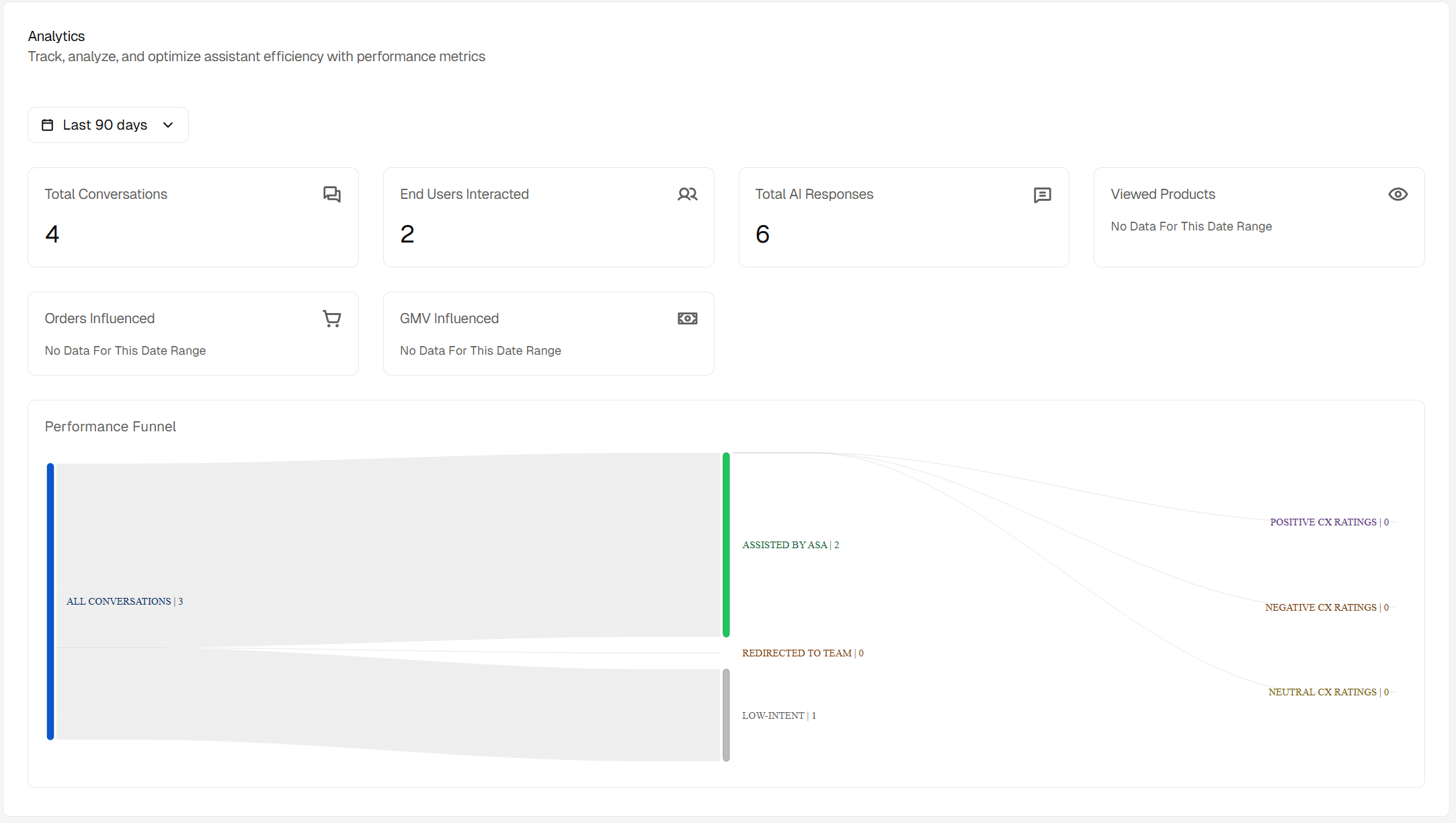
Time Filter
Use the Days filter (e.g., 7 days, 30 days, 90 days) to view analytics for a specific period.This lets you compare performance trends over time and make data-driven improvements.
Key Metrics
Each analytics card gives you a quick snapshot of your assistant’s activity and impact during the selected time frame:- Total Conversations: The total number of user-initiated interactions with your assistant. Each time a user starts a new chat, it counts as one conversation.
- Total Users: The total number of unique users who interacted with your assistant - a measure of reach and adoption.
- Total AI Messages: The total number of messages sent by your AI assistant during conversations - showing engagement and response volume.
- Product Views: The number of times users clicked to view a product page from within a conversation - an indicator of user interest and browsing intent.
- Add to Cart: The total number of times users clicked Add to Cart directly from Asa’s responses - a sign of strong purchase intent driven by the assistant.
Performance Funnel
The Performance Funnel visualizes how user interactions progress through different stages - helping you assess assistant effectiveness and user satisfaction.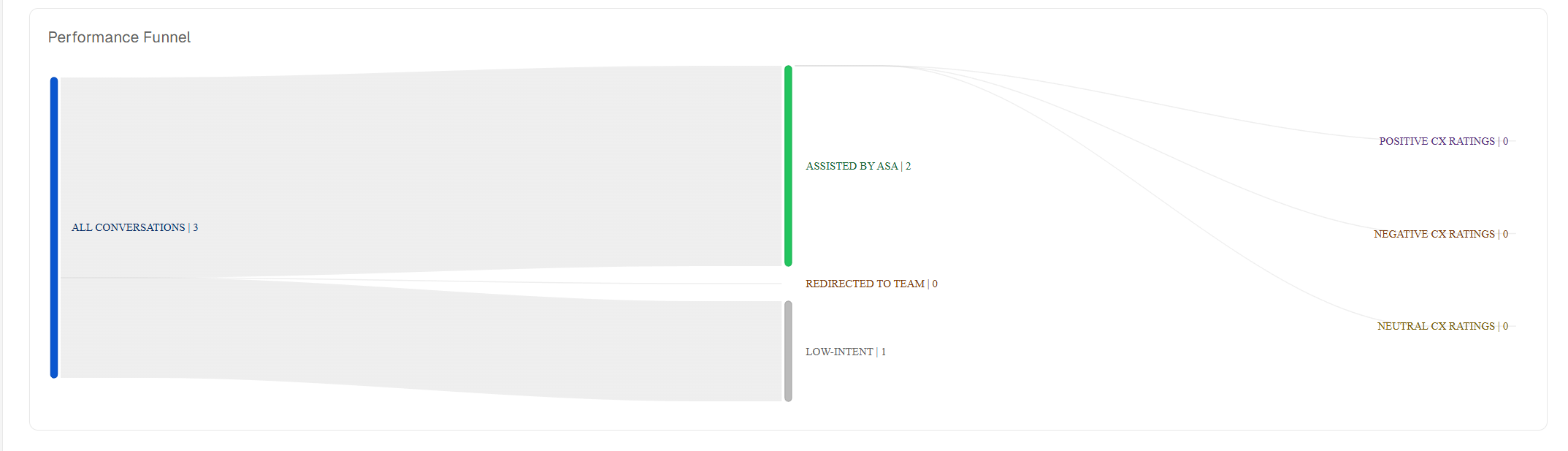
- All Conversations: Total user-initiated conversations.
- Assisted by Asa: Conversations successfully handled by the assistant.
- Low-Intent: Basic or casual conversations (e.g., greetings like “Hi” or “Hello”).
- Redirected to Team: Conversations that were handed off to your human support team.
- Positive CX Ratings: Conversations where users gave a positive experience rating - indicating satisfaction and resolved queries.
- Negative CX Ratings: Conversations with a negative rating - showing dissatisfaction or unresolved issues - can be redirected ones.
- Neutral CX Ratings: Conversations with no rating provided by the user.
How to Use
- Monitor total engagement and conversion activity over your chosen time frame.
- Use the funnel to pinpoint where user interactions drop off or escalate to support.
- Track satisfaction trends through CX ratings and identify areas where Asa can improve.
Note: Regularly reviewing these metrics helps you understand how well Asa assists users, where handovers happen most, and how effectively the assistant contributes to user satisfaction and conversions.