

Open Judge.me in Shopify
In your Shopify admin, go to Settings > Apps and sales channels.Under Installed apps, find Judge.me Reviews, open it, then click Open app in the top right.
Copy your API token and subdomain
In the Judge.me sidebar, go to General Settings > Integrations.Click View API Token and copy: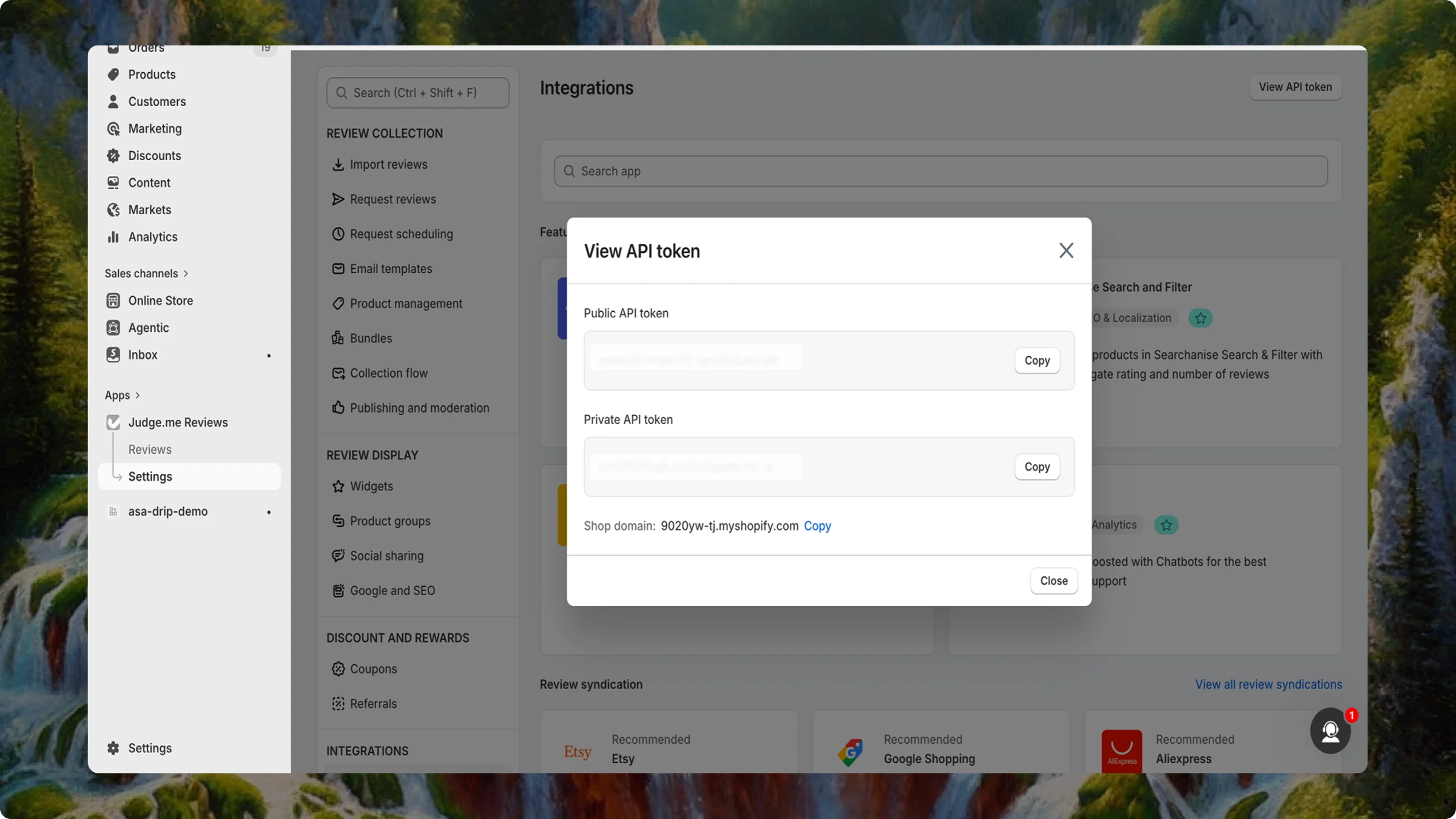
Example integrations URL:
https://admin.shopify.com/store/[your-shopify-subdomain]/apps/judgeme/shop/general_settings/integrationsConnect Judge.me in Asa
Navigate to Add Content in the sidebar, open the Apps tab, and click Connect on the Judge.me card.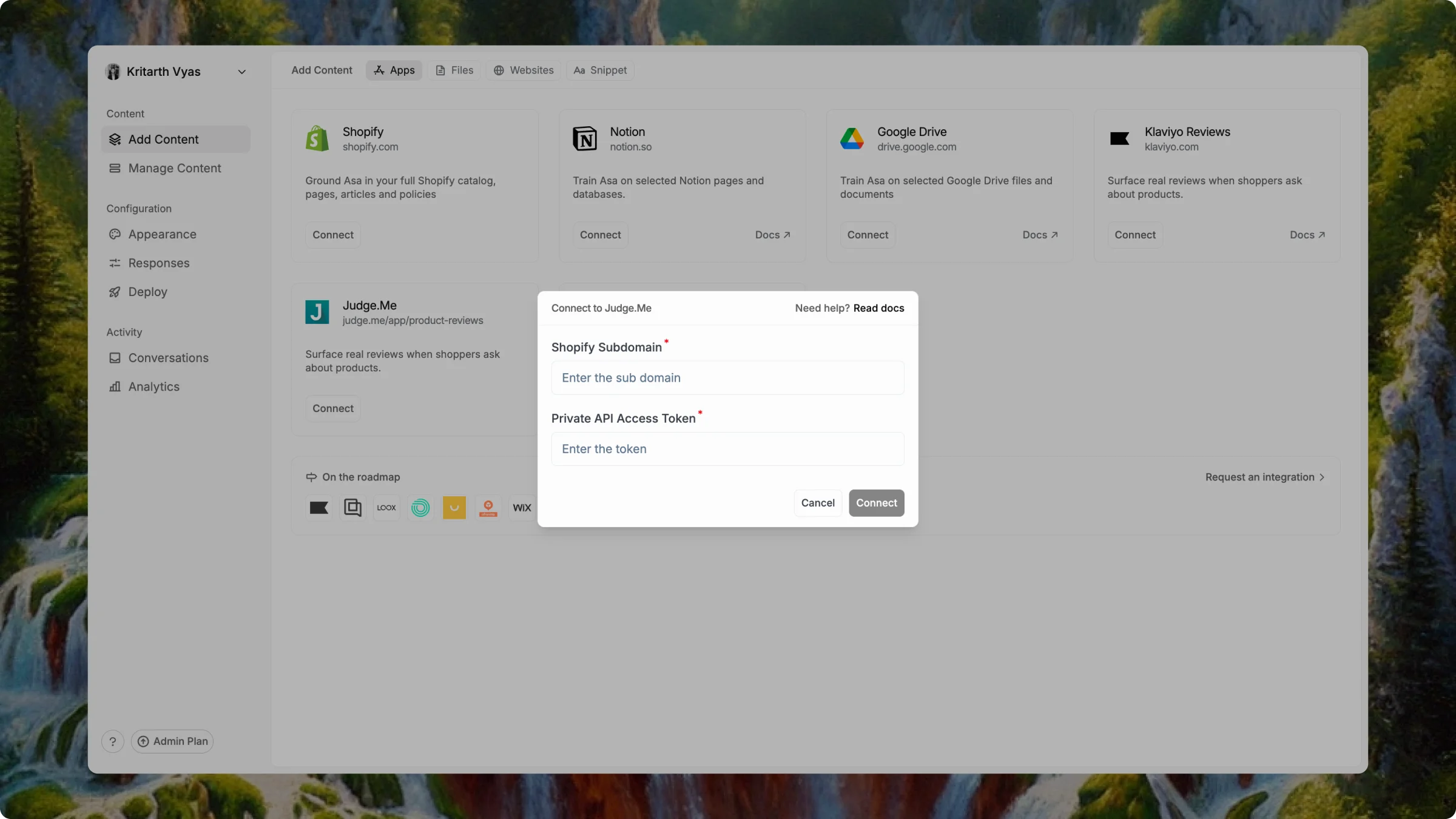
Click Connect. When setup succeeds, the card shows Connected.
Only one reviews app can be connected at a time. If you already use Klaviyo Reviews or Yotpo, disconnect that integration before connecting Judge.me.
Notes
- Your Shopify Subdomain must match the subdomain in your Shopify admin URL exactly.
- The API token gives Asa read access to review data only — not full store admin access.